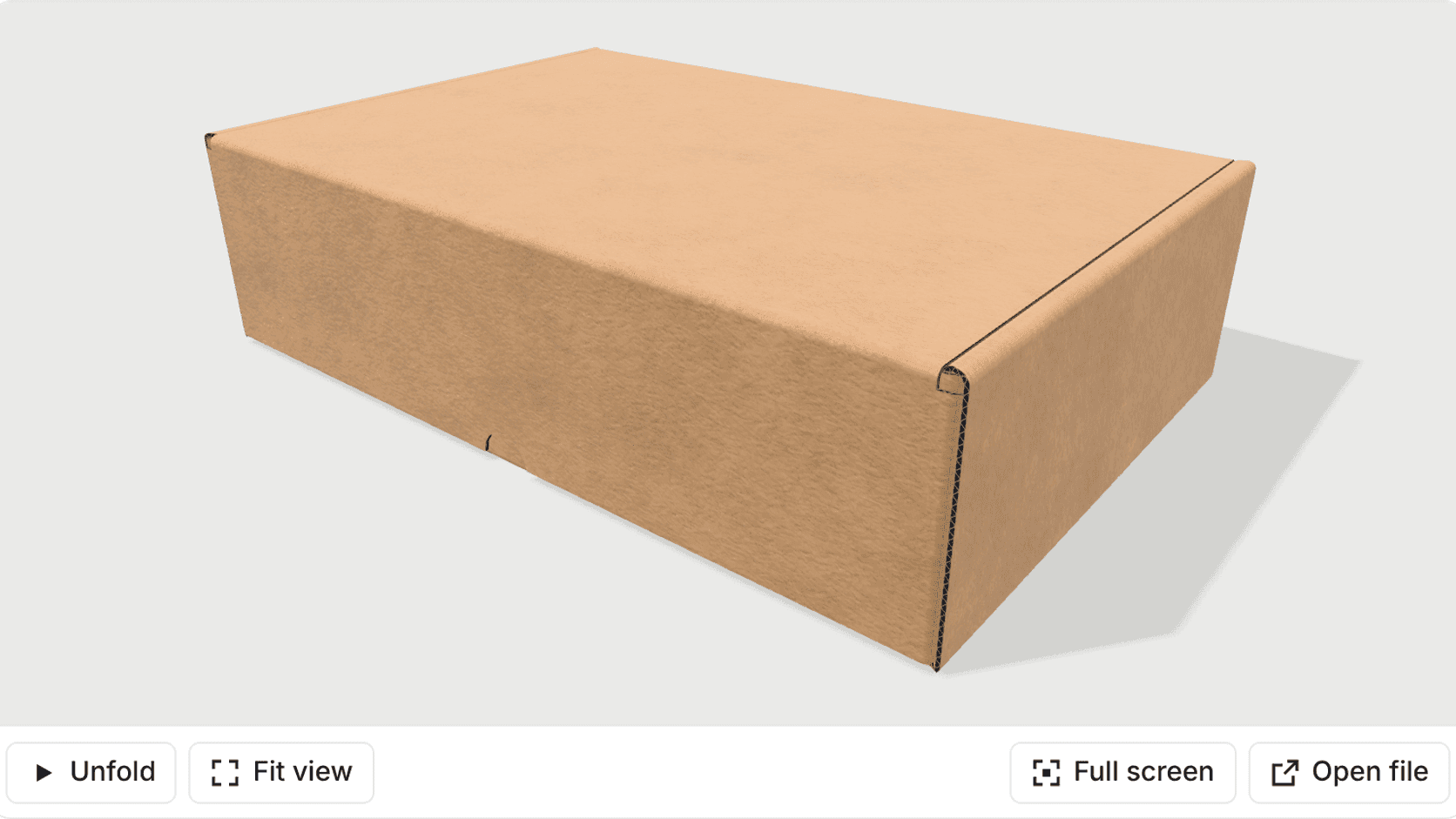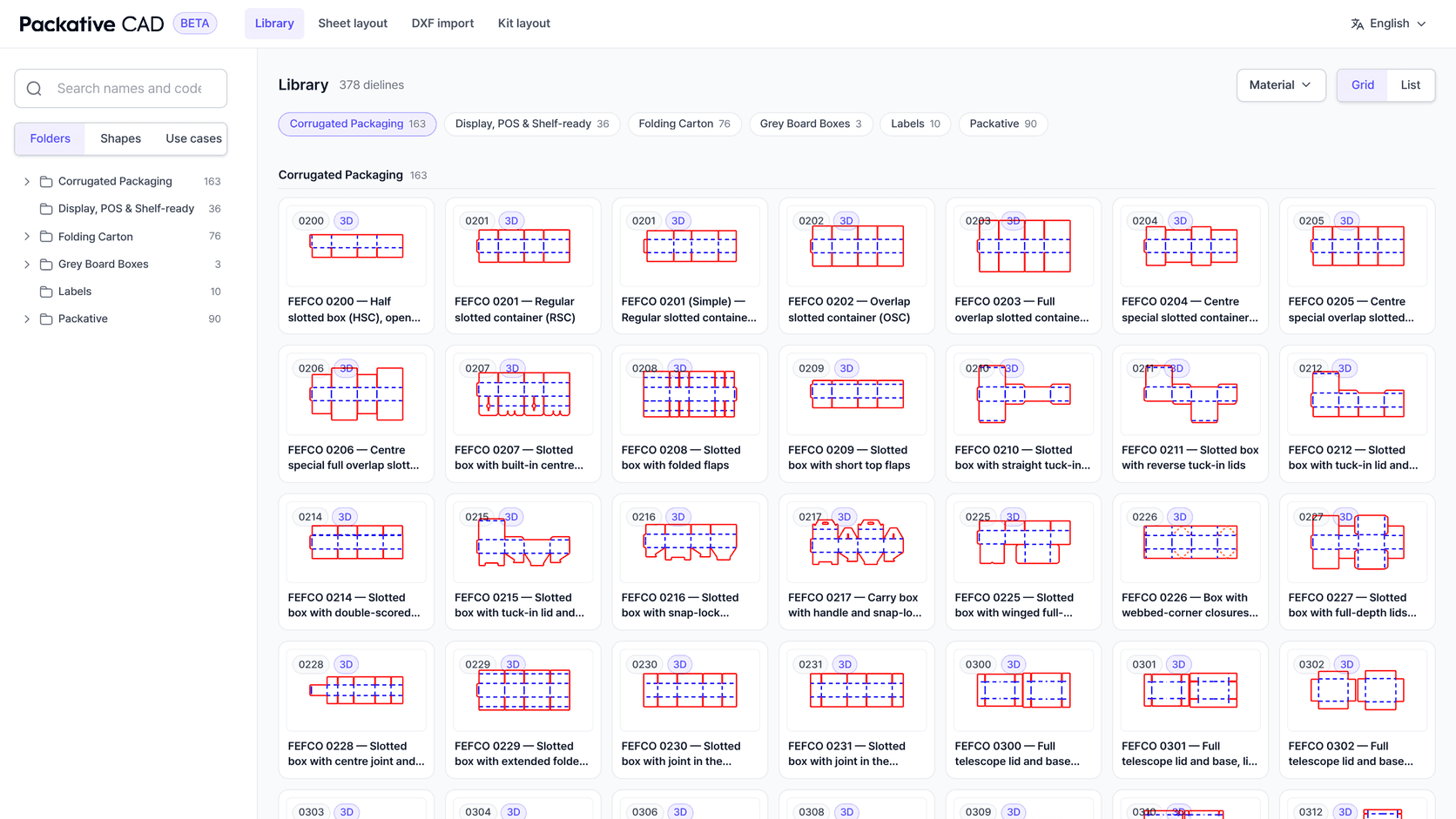
Packative CAD is a dieline tool that runs in the browser. You pick a template from a library of hundreds of parametric FEFCO, ECMA and rigid-box styles, type the sizes and the board, and the drawing follows. The same screen lays the blank out on your sheet sizes, lays several parts out together as a kit, folds the box in 3D and exports DXF, PDF, AI, EPS, SVG or PNG. It is free while it is in beta, and you sign in with Google.
Packative CAD is part of Packative One, our platform for quoting and running a packaging business. We also offer it as a separate service for teams that only need the drawing side: dielines, sheet layouts and files, without the rest of the platform.
We built it because our own packaging business kept quoting boxes nobody had drawn yet. The salesperson priced a style code and three numbers; the dieline was drawn after the order, by the one person with a CAD seat. Packative CAD is how we moved the drawing to the front of the job, and we made it free because the drawing is the cheapest part of a quote to get right and the most expensive part to get wrong.
The Drawing Arrived After the Price
For years, our own packaging operation quoted from a style code and inside dimensions. Someone estimated the blank from those numbers, assumed a layout, and sent a price. The real dieline was drawn later, once the order was won.
Most of the time the guess held. When it did not, the error usually ran in the same direction: the drawn blank was a few millimetres longer than the estimated one, one copy fell off the sheet, and the margin went with it. Nobody had made a mistake. The drawing did not exist at the moment the price was set.
What fixes it is a drawing fast enough that the person setting the price can make it first.
What You Can Do in the First Ten Minutes
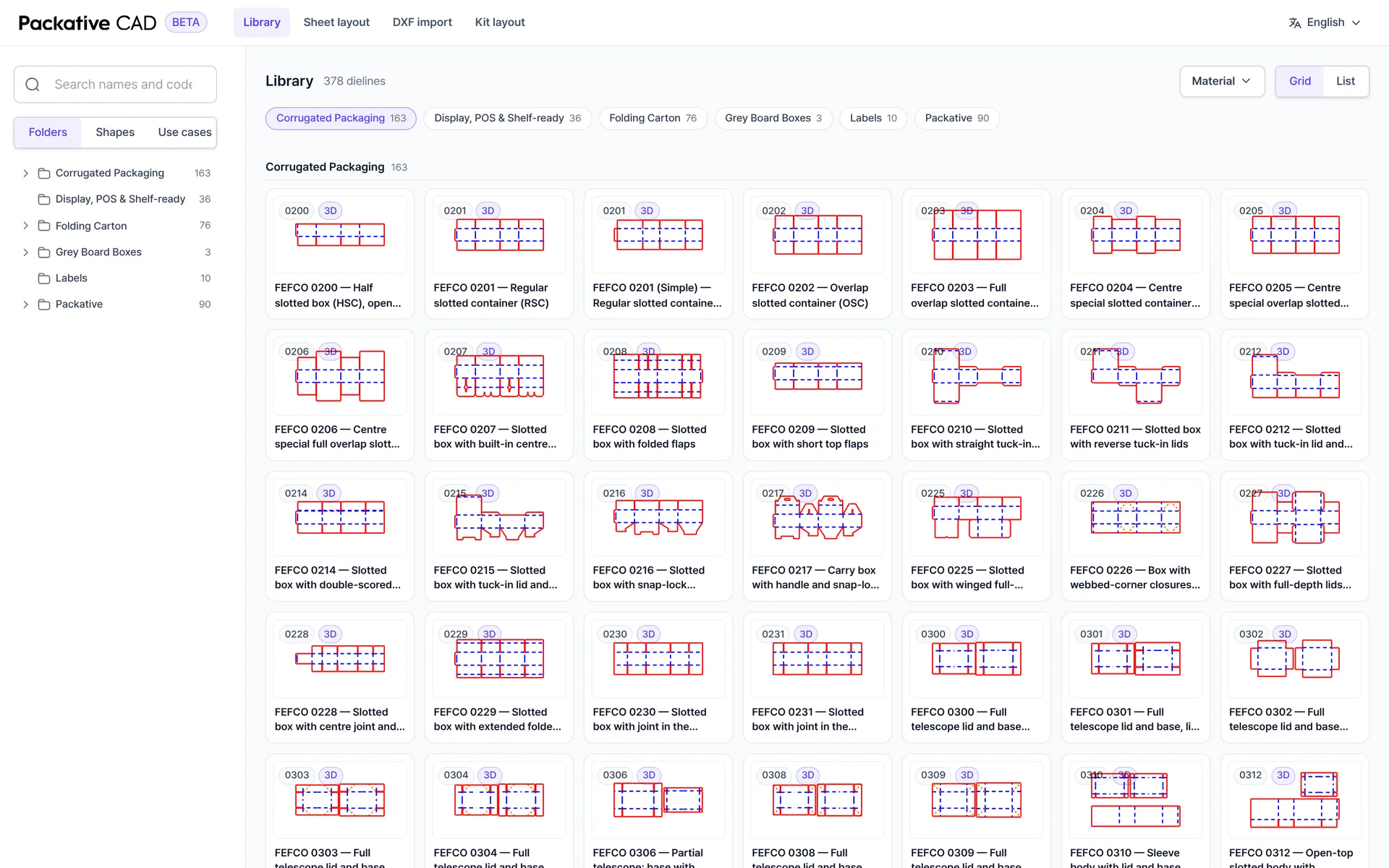
The library opens on the standard families, each template drawn as parameters rather than as a fixed file. Search by name or code, or filter by shape, use case and material.
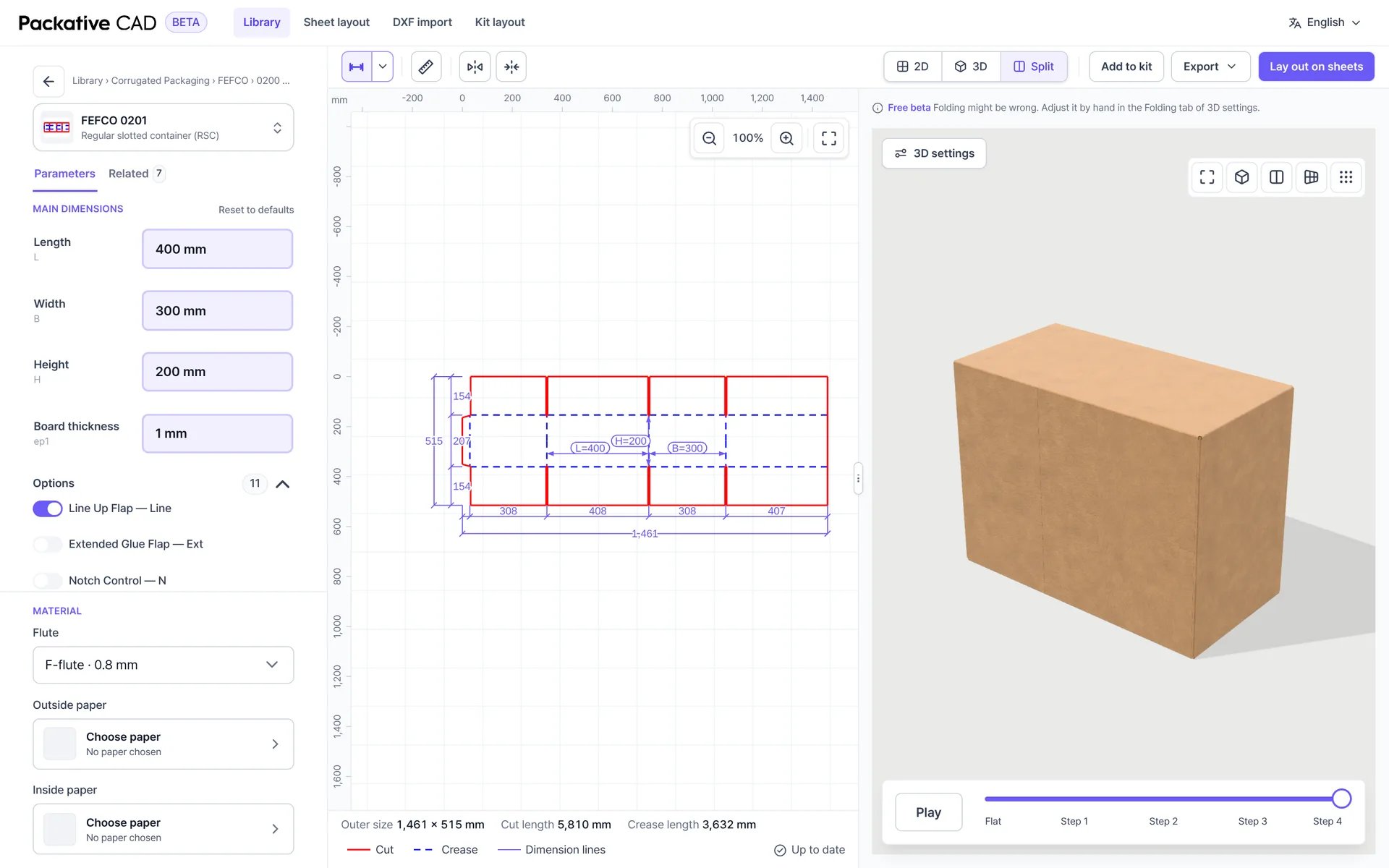
Open a template and type length, width, height and board thickness. Every panel, flap and allowance follows, and the outer size, cut length and crease length update underneath. Switch to the split view and the same drawing folds in 3D beside it, in the board or paper you picked.
Laid Out on Your Own Sheets
Laying the dieline out on sheets is the next step, and it takes one click. Packative CAD tries every pattern and rotation on each sheet size you enter, with your gaps, margins and grain, and ranks the sheets best first.
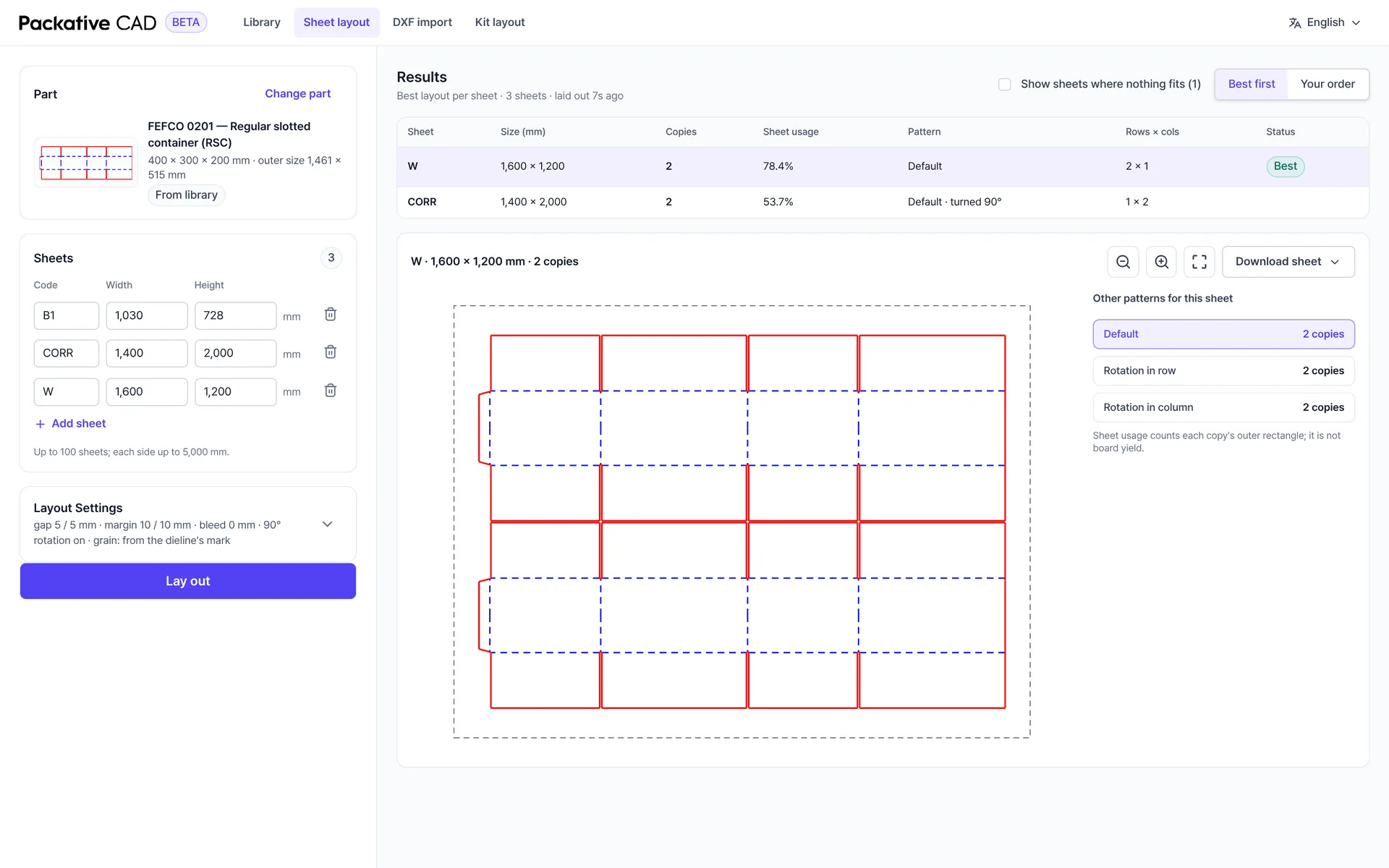
If the product is more than one part, a lid and a base or a tray and its sleeve, the kit layout puts the parts on one sheet in the ratio the product needs and counts complete sets rather than loose pieces.
Files the Next Person Can Use
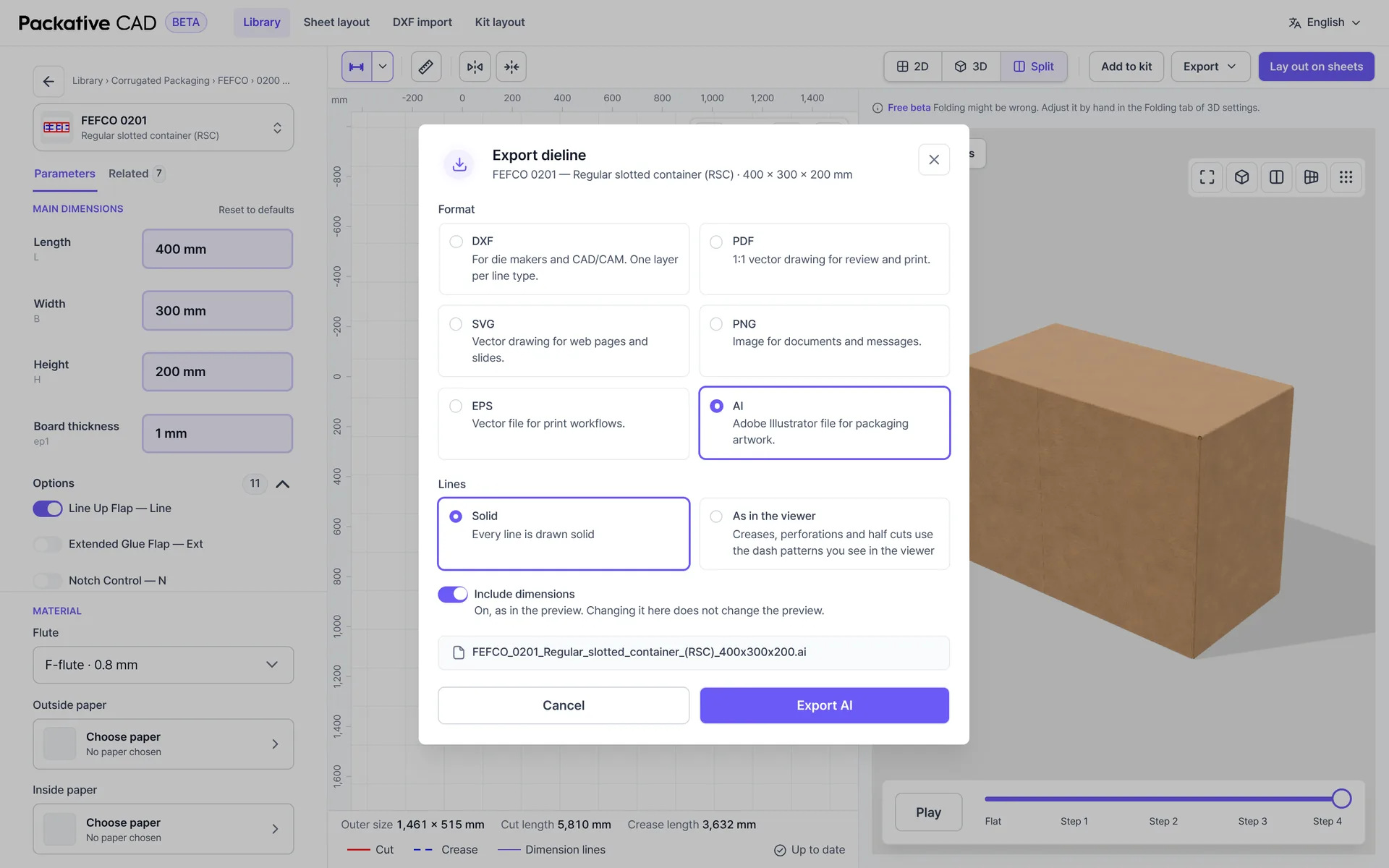
Every drawing leaves in the format the next person in the chain needs: DXF with one layer per line type for the die maker, a 1:1 PDF for review, AI and EPS for the designer who will place artwork, SVG and PNG for the quote email.
Drawings also come in. A DXF from your own archive or a customer is read into cut and crease lines, and from there it lays out and nests like any template.
Why Free, and What the Catch Is
We want the dieline to be where a packaging job starts, and a price tag in front of the drawing works against that. Packative CAD is the engine inside Packative One, where the same drawing feeds nesting and the quote. Offering the drawing side on its own, to anyone who only needs that, is the most direct way to show what the engine does.
It is a beta, so you will find rough edges, and the 3D view says plainly that a fold can be wrong and lets you correct it by hand. Use is metered in credits: you get free credits every month, browsing costs nothing, and inviting a colleague who signs in adds 100 a month. Automated access and copying the library are not allowed, because the beta is for people working on real boxes.
Where It Fits Next to the CAD You Own
Professional structural CAD systems such as ArtiosCAD and EngView give a designer full control over every line, every tool and every machine output. They are the right place for new structures, inserts and customer-specific constructions. Packative CAD complements them: a template library of parametric standard styles that anyone on the commercial side can size, lay out and export.
Its job is to take quotation work off your structural team. A standard style at a new size, needed in the next hour for a quote, no longer waits in the structural designer's queue. Quotes go out faster, and the structural team spends its time on confirmed orders and the constructions that need its judgement. Because DXF goes in and out, a drawing that needs real design work moves to the professional system without being retraced, and Packative One's Enterprise plan adds the EngView template library alongside Packative CAD.
When the drawing has to travel further, into nesting by cost and into the quote, that is Packative One, where Packative CAD is built in. There, the drawing the quote was priced on is the drawing the die maker receives.
Frequently Asked Questions
Packative CAD is a dieline tool that runs in the browser. You pick a parametric template from a library of hundreds of FEFCO, ECMA and rigid-box styles, type your sizes and board, and the drawing follows. From there you can lay the blank out on your sheet sizes, lay several parts out together as a kit, fold the box in 3D and download DXF, PDF, AI, EPS, SVG or PNG.