Automate the Busywork, Keep the Judgement.
From quote drafting to reorder reminders: automation across the whole operation, built from blocks you rearrange yourself. And nothing writes to your data until a person accepts it.
The Automations
What It Runs While You Are Quoting
Each one is a chain you can open and rearrange: a trigger, the checks and waits in between, and an action at the end. These three run in our own shop.
Repeat customers rarely tell you they are ready to reorder. This one watches the interval and nudges before they go looking elsewhere.
Every morning
Runs on a schedule, before the sales day starts.
Was it a real order?
Only shipped orders count.
- Order status
- Sample flag
- Cancelled lines
Wait, longer for bigger orders
Small runs come back sooner than seasonal ones.
Still no reorder?
If they already ordered, the chain stops quietly.
Send the nudge
A friendly email, or an SMS if that is how this customer answers.
Nothing writes to your data until a person accepts it.
Build Any Automation From Blocks
A visual builder for the whole operation, not just quoting: pick a trigger, add checks, waits, and branches, end in an action by email, SMS, or messenger. The reorder reminder shown here runs our own shop. Every block is customizable, and none of it needs a developer.
- Triggers on events, status changes, or a schedule
- Checks, waits, and branches in plain language
- Rearrange, test, and pause without a ticket
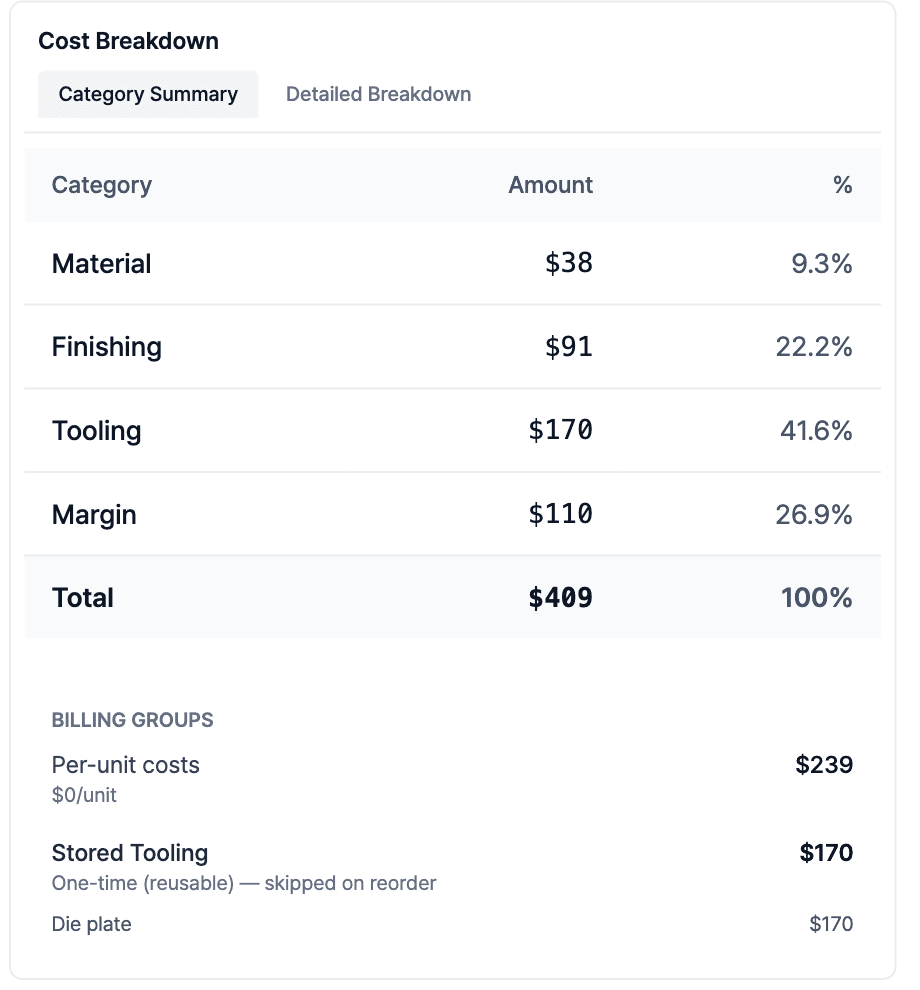
Every Number Shows Its Working
Each automated figure carries the cost drivers that produced it, covering material, sheet yield, waste, tooling and run time, so an estimator can check the reasoning before it reaches a customer.

An Assistant That Knows the Screen You Are On
The built-in assistant sits beside whatever you are looking at and understands the context. It analyses the opportunity on screen, summarises a quotation, or matches fields across forms, and returns structured cards.
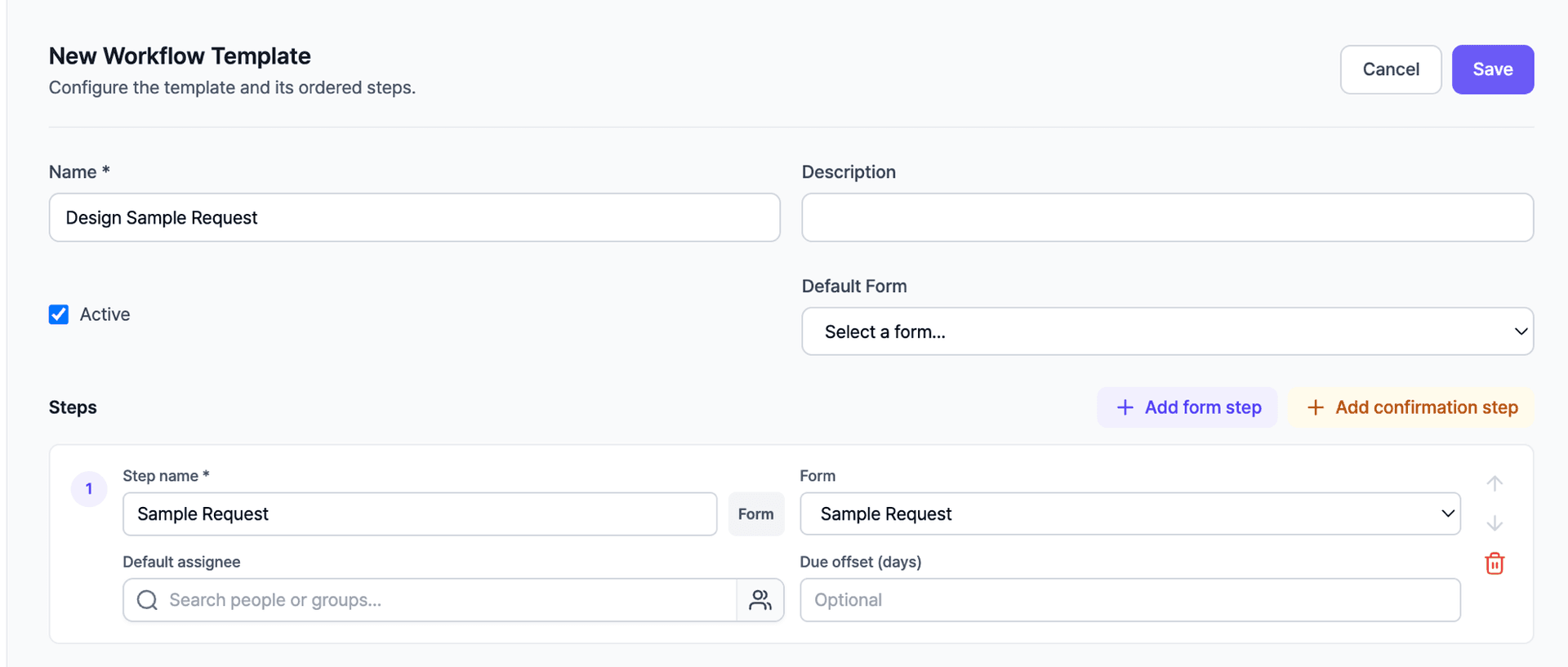
Workflows From Your Own Templates
Build a workflow template once: ordered steps, forms, confirmations, default assignees, due dates. Sample requests, design approvals, onboarding: whatever your team repeats, templated.
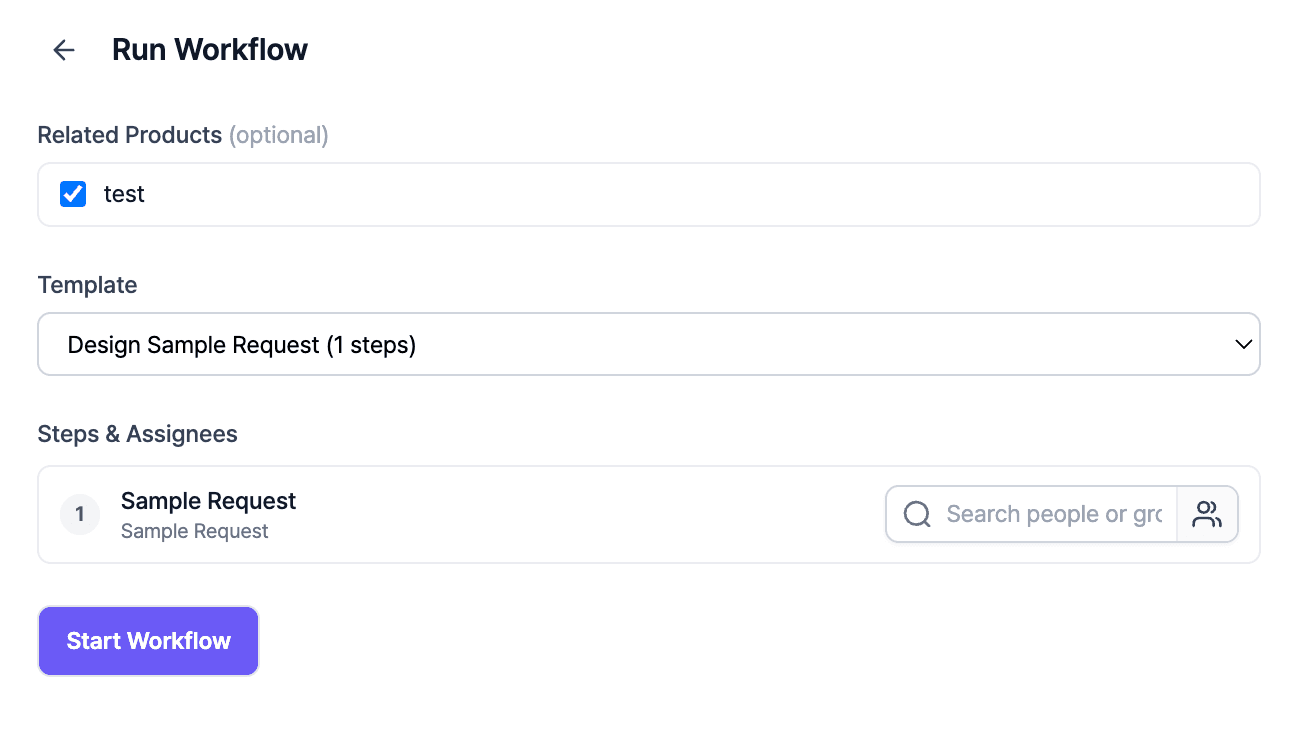
Run It on the Deal
Start a workflow right on the case: pick the products, pick the template, assign people, go. No project tool on the side.
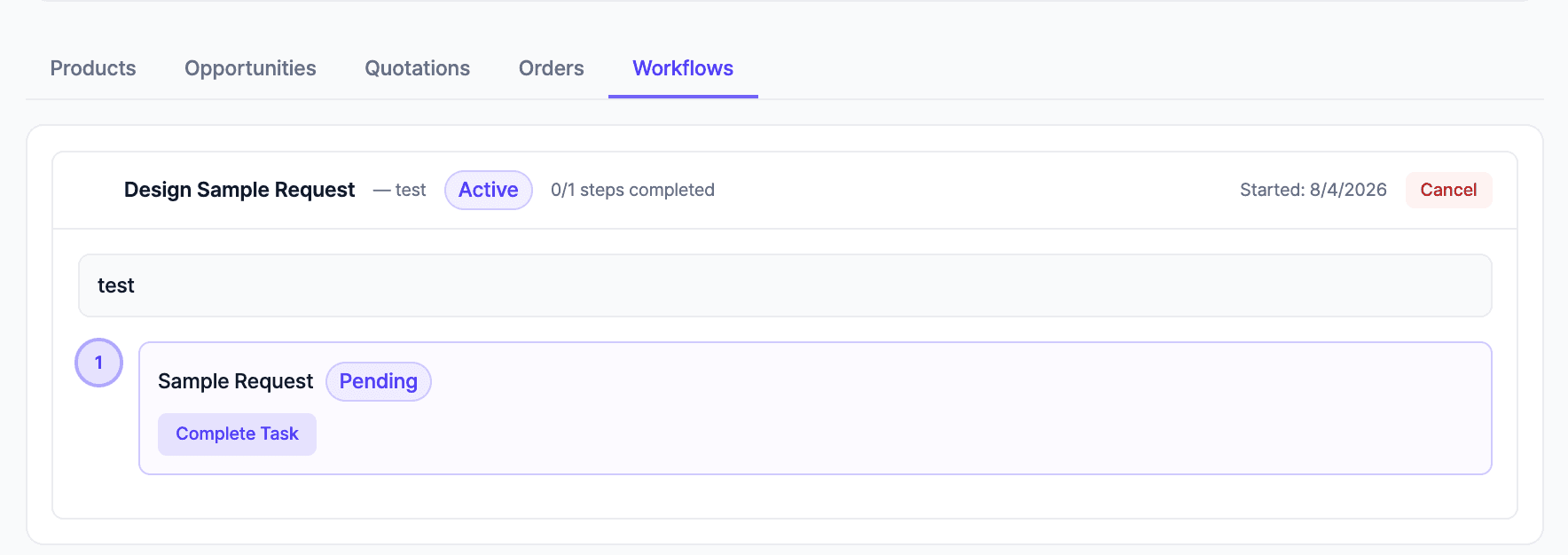
Every Step Tracked to Done
Each run lives on the record with its steps, statuses, and owners. Pending work is visible, nothing depends on someone remembering.
Common Questions
Questions You Are Probably Asking
No. It is optional. When you do use it, every proposed change arrives as an approve/reject card and expires after 24 hours if you do nothing. Agents started by automations cannot write to your data unless you explicitly enable it.
Did Not Find Your Answer?
Ask us directly. Bring the question to a call and we will answer it against your own quoting process.
Keep Exploring
The Rest of the Platform
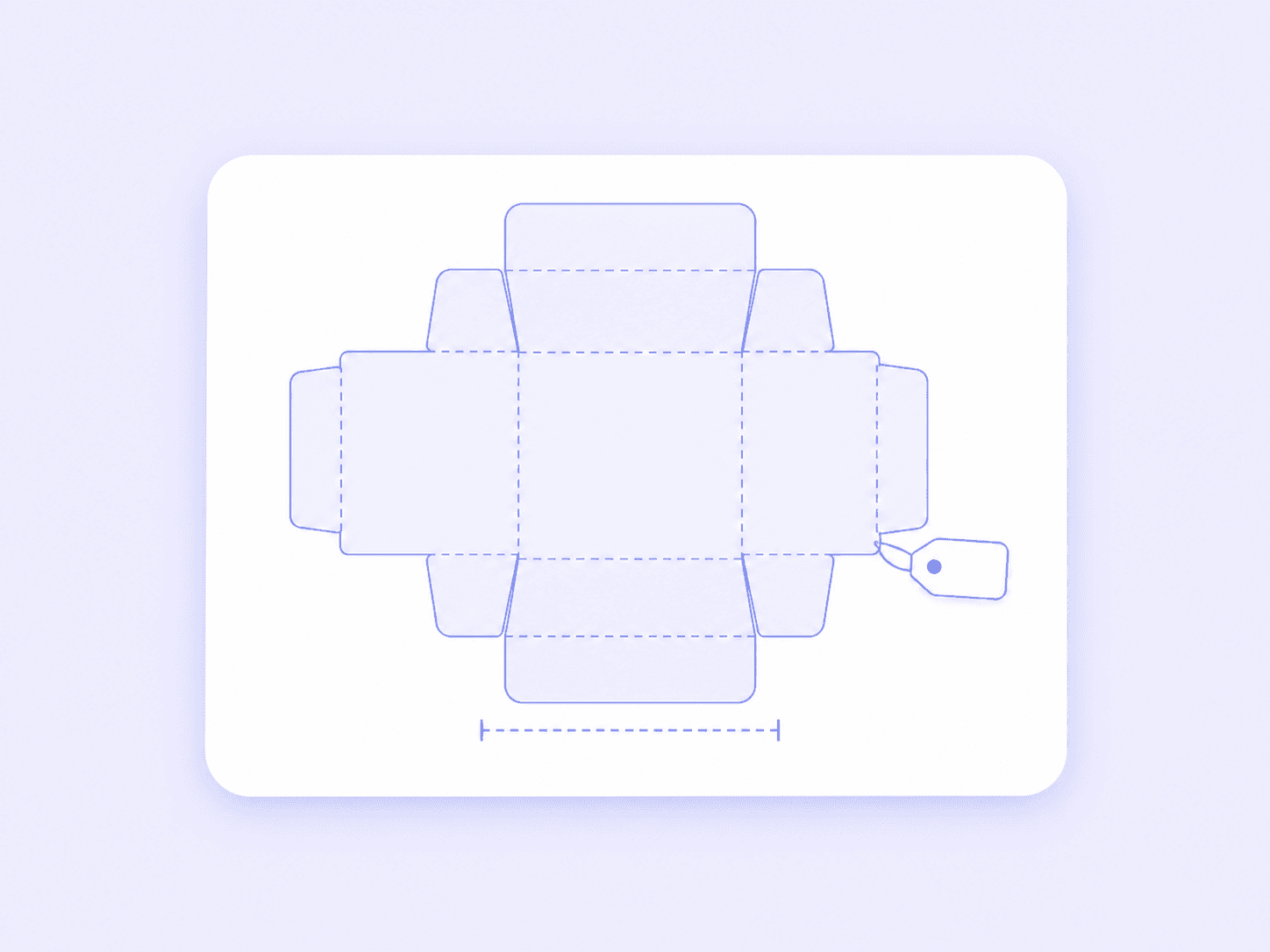


See It Priced on Your Own Box
Bring a dieline and a quantity from last week, and we will walk through how Packative One would quote it.