The Quote Won the Order. Now Run the Job.
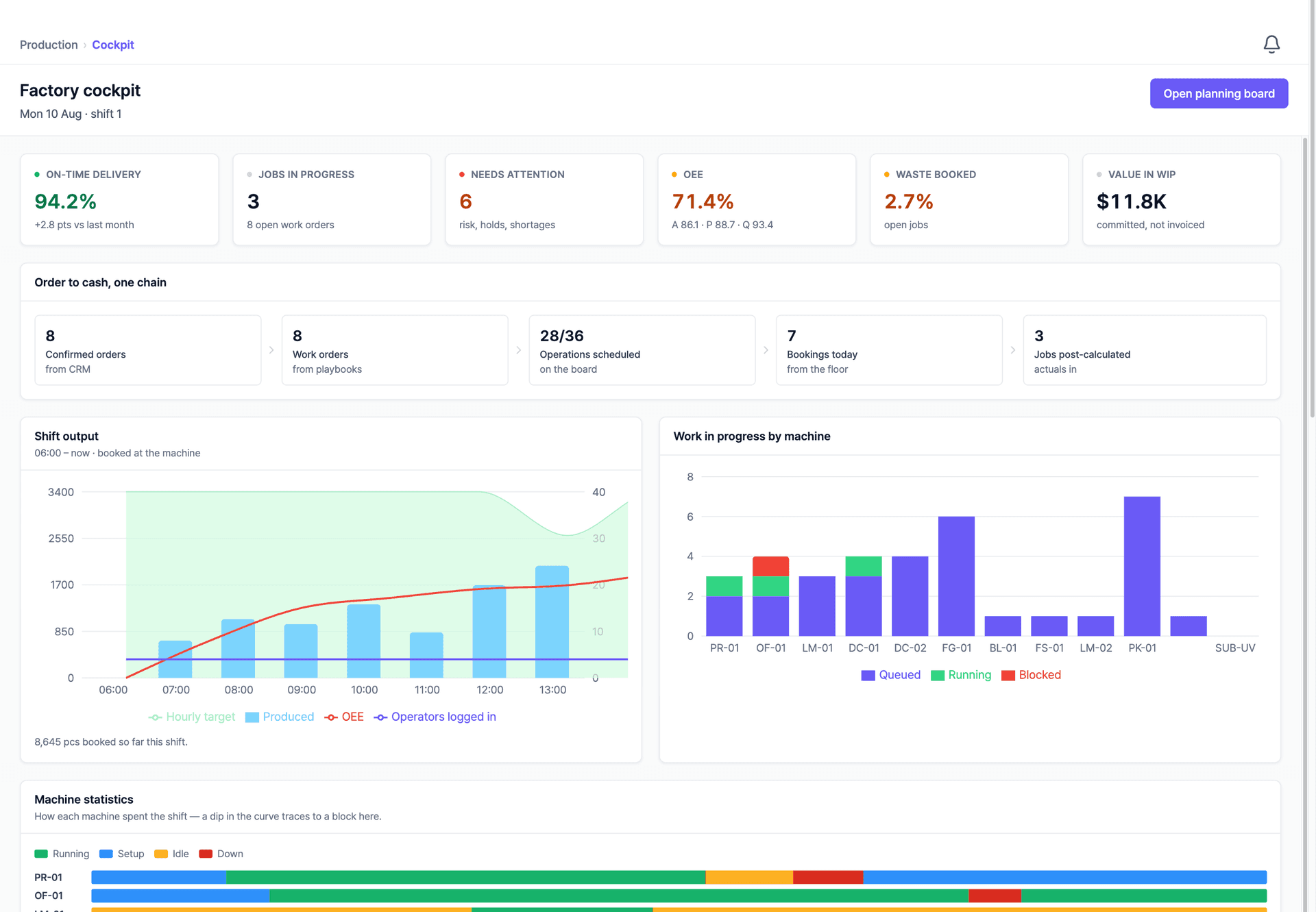
The upcoming production module carries the same record from confirmed order to shipped pallet: work orders, a planning board, shop-floor terminals, and post-calculation that compares what you quoted with what the job really cost. It is optional: keep the MIS you already run and we connect to it instead. Shown here as a working preview.
What It Covers
From Confirmed Order to Shipped Pallet
Orders from the CRM become work orders with routings. The planning board schedules them across your machines, operators book quantities at the terminal, and every booking updates the same record the quote started on.
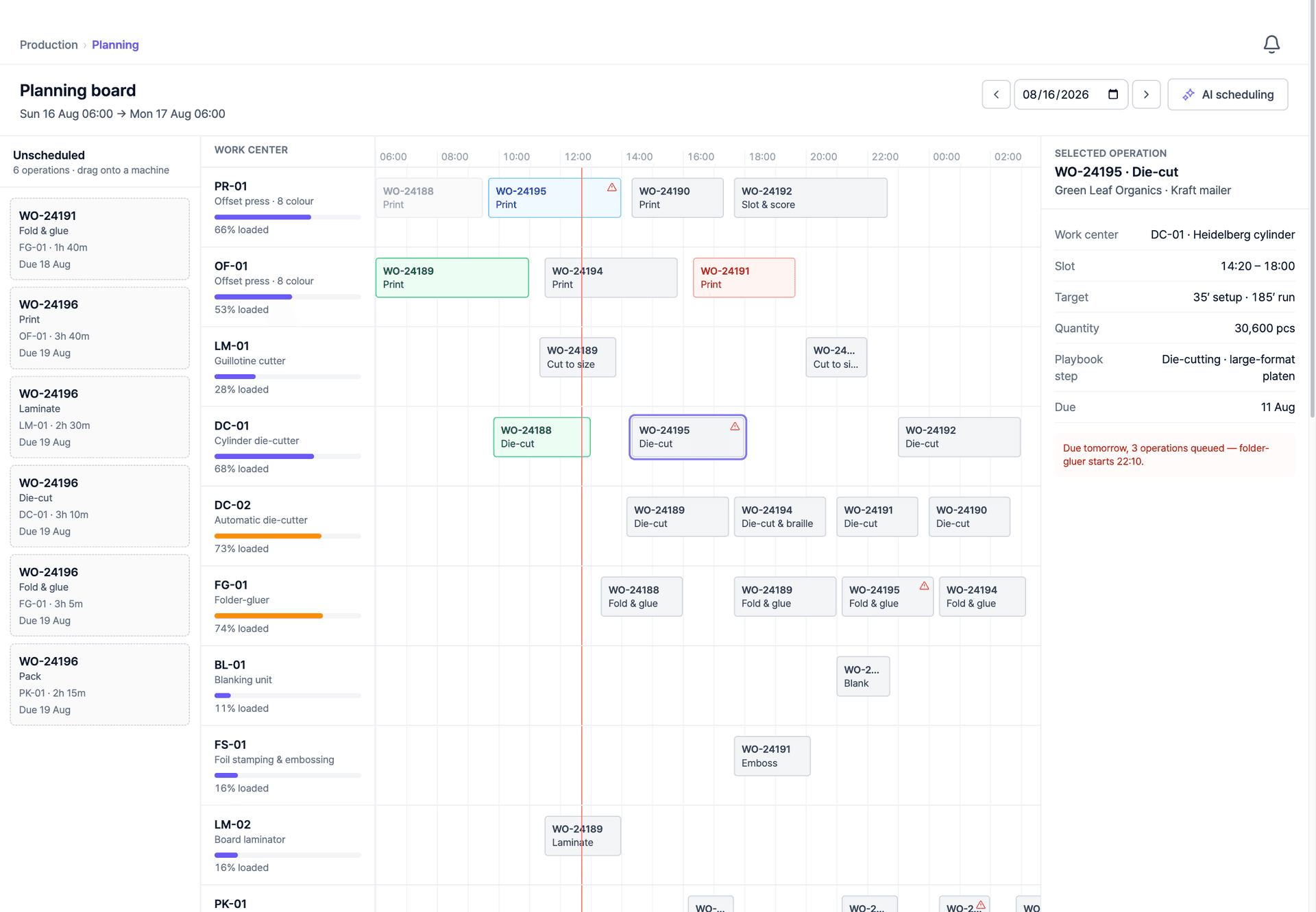
A Planning Board That Sees Every Machine
Work orders arrive with their operations already routed. Drag them across work centers, and due dates, material arrivals, and outside-work returns are visible on the same board, so the plan reflects what can actually run.
The Shop Floor, Machine by Machine
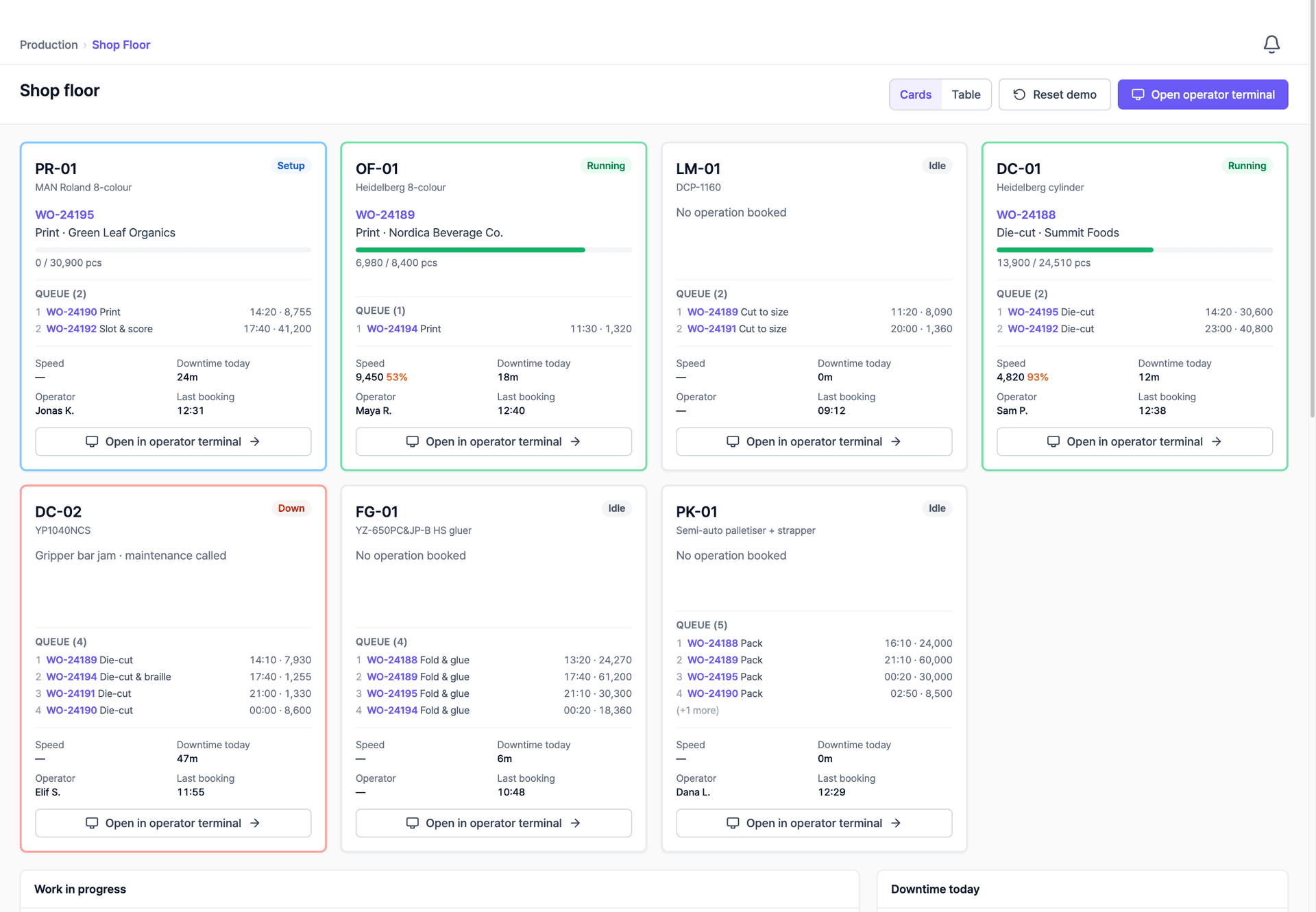
Every machine shows what it is running, what is queued, and where it stopped, with speeds against target and downtime reasons booked at the source.
An Operator Terminal Built for the Machine
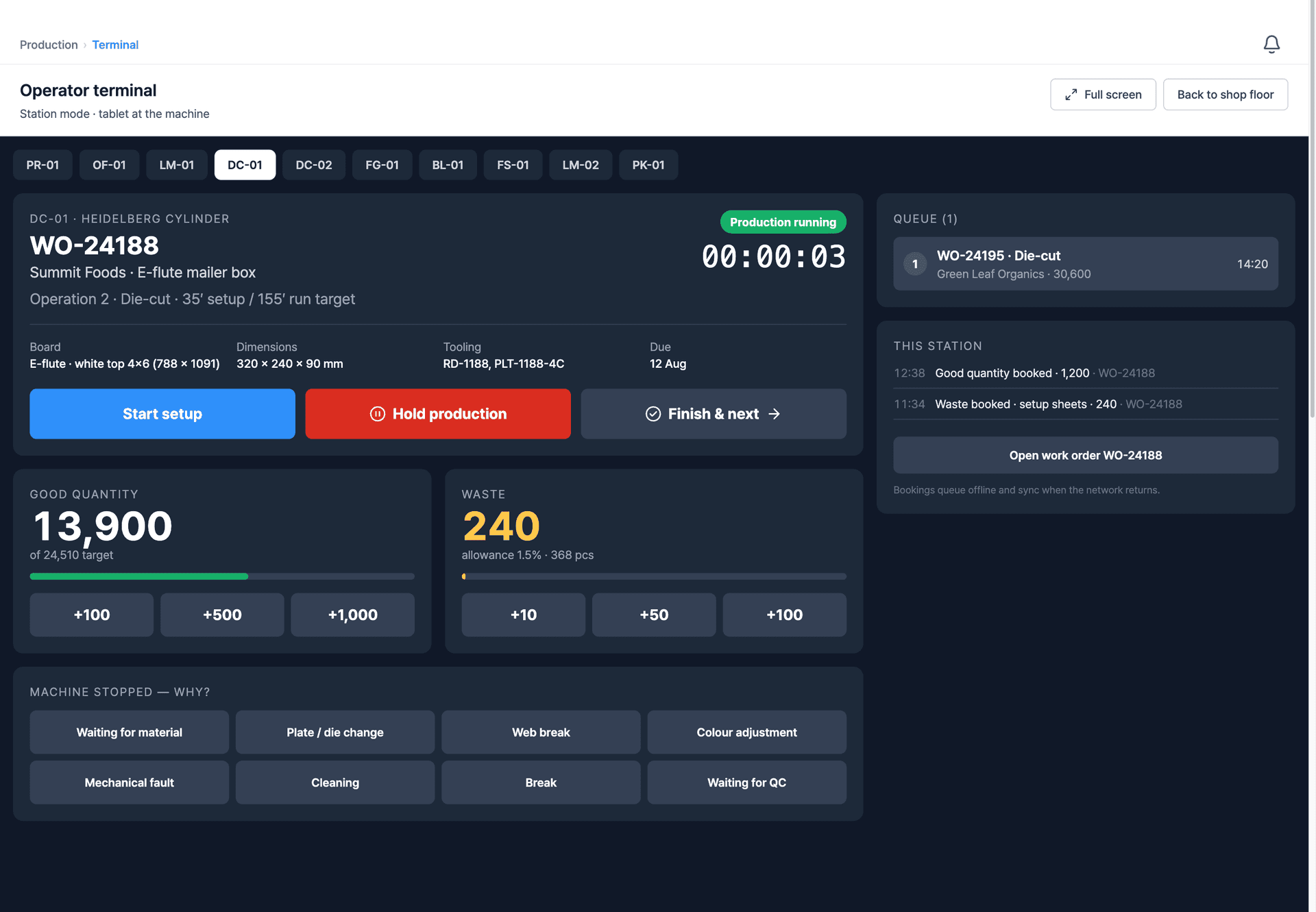
A station-mode screen for the tablet at the machine: start setup, book good quantity and waste with big keys, and record why the machine stopped. What operators book is what the cockpit, the planning board, and the costing see.
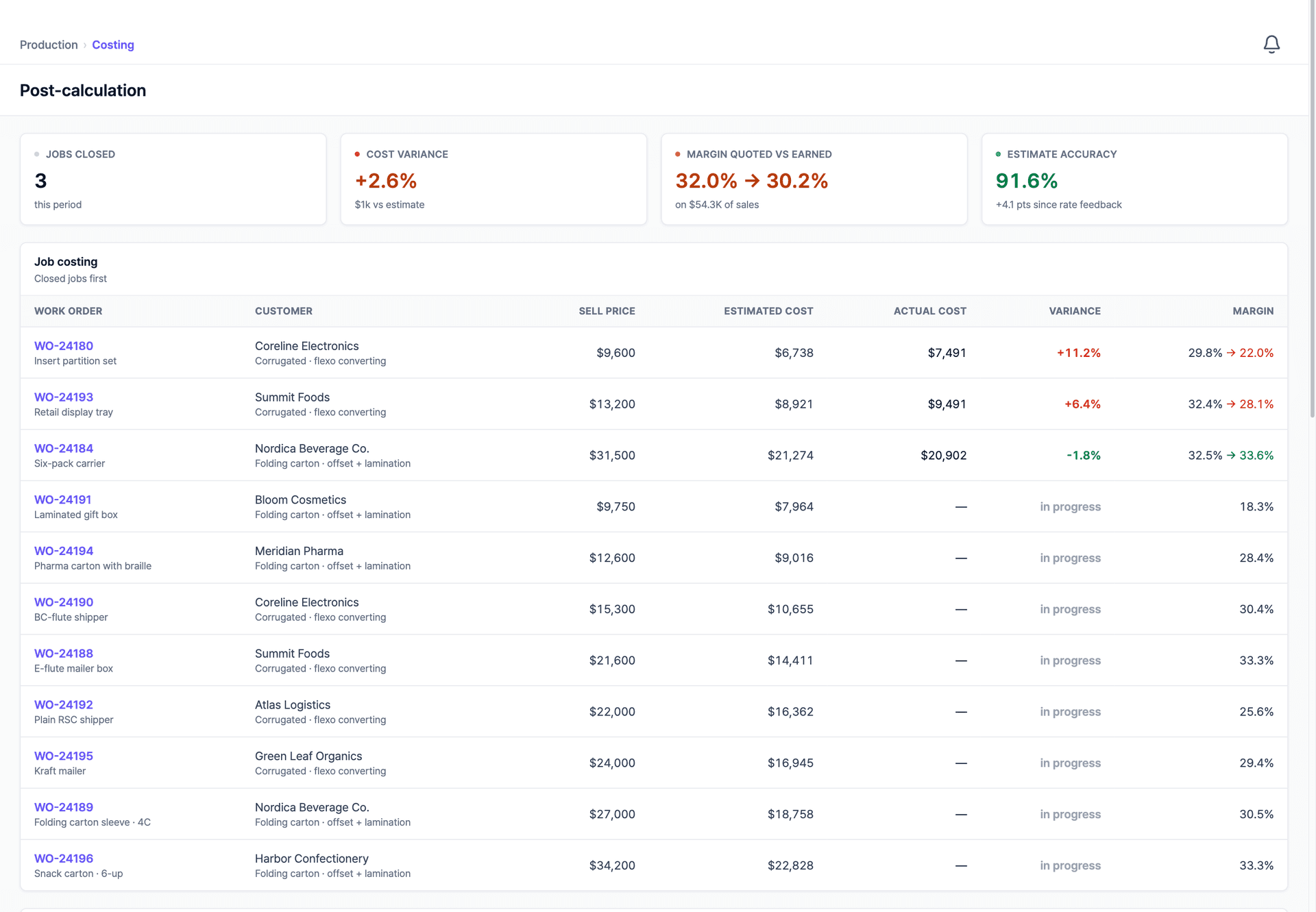
Post-Calculation Closes the Loop
When a job finishes, its actual material, run time, and waste stand next to the estimate, margin quoted against margin earned, job by job. AI reads that history and proposes updates to your quoting cost model, so the next quote is priced from what production really cost. You approve every change.
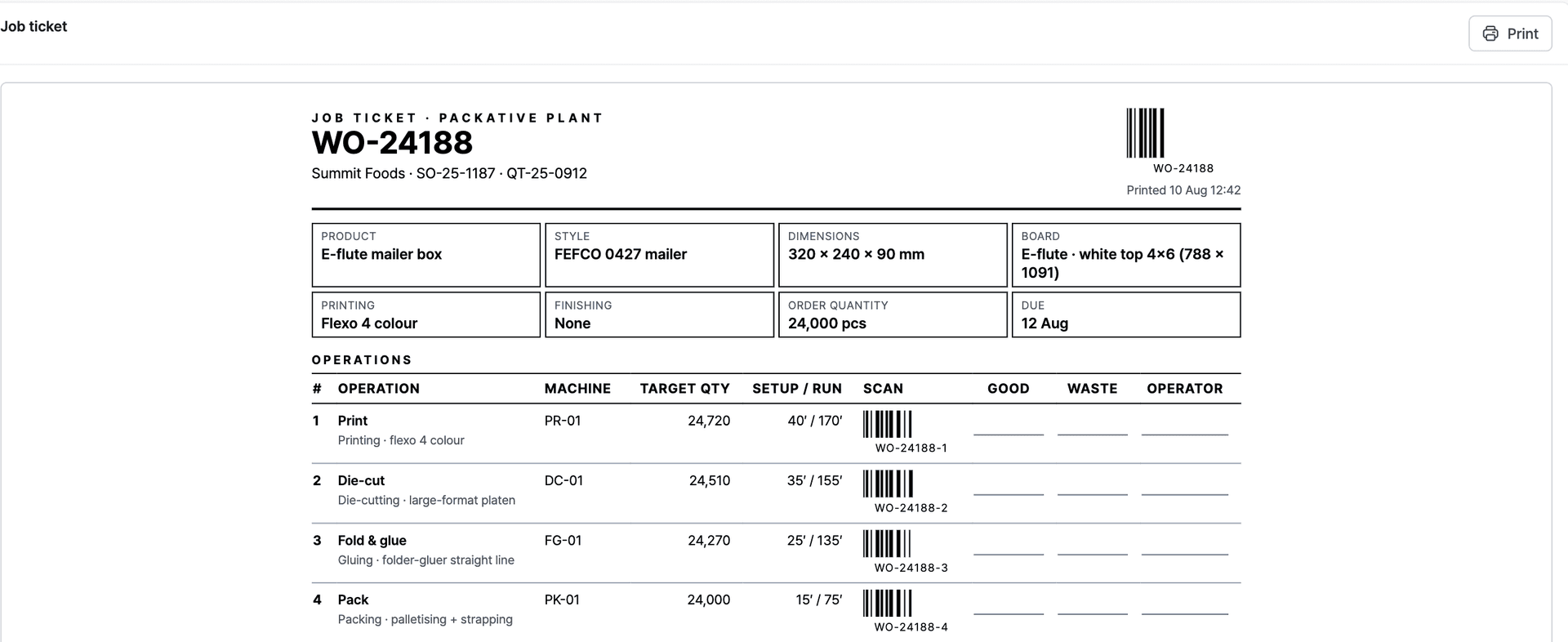
A Job Ticket the Floor Can Actually Use
Every work order prints as a ticket: the product, the board and dimensions, the routing with target setup and run times, and a scan code per operation so booking at the machine is a scan rather than a form.
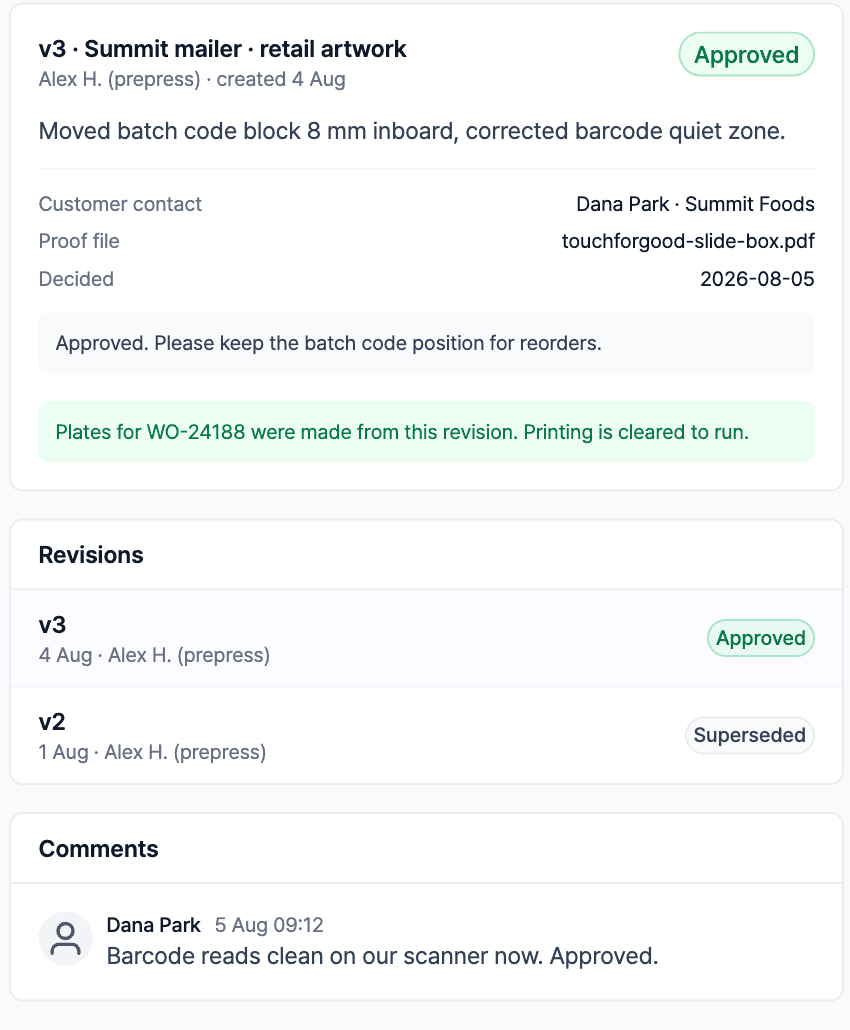
Design Approval, Recorded Against the Plates
The approved revision is the one production runs. Each version carries who approved it, when, and what changed, and the ticket says plainly that the plates were made from this revision, so nobody prints last week's artwork.
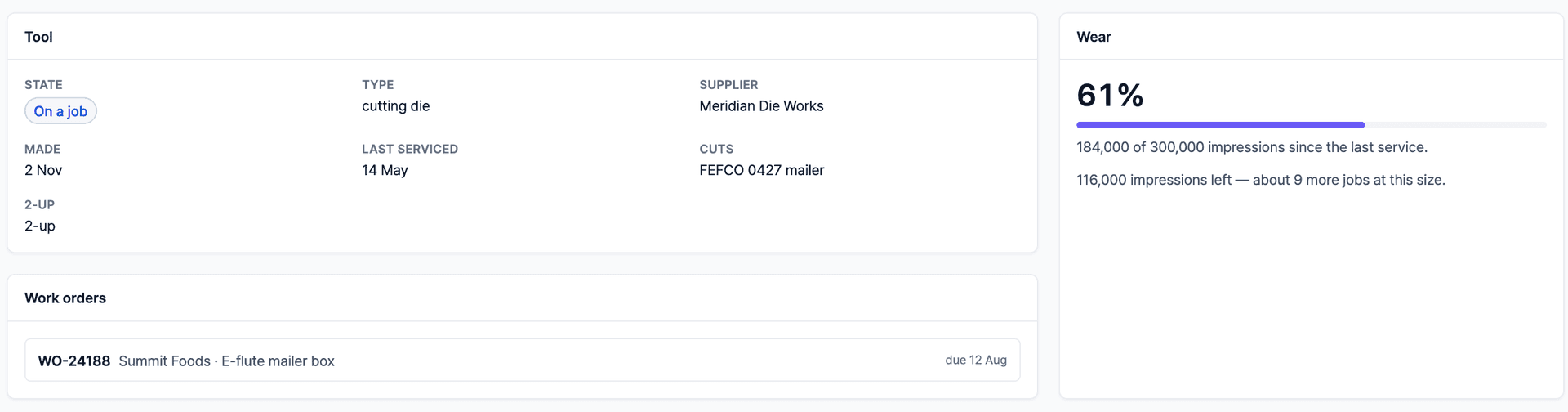
Tooling Measured in Impressions
Dies and plates wear out on a count, not a calendar. Each tool carries its rack location, the job it is on, and how many impressions are left before it goes for service, so the die does not die mid-run.
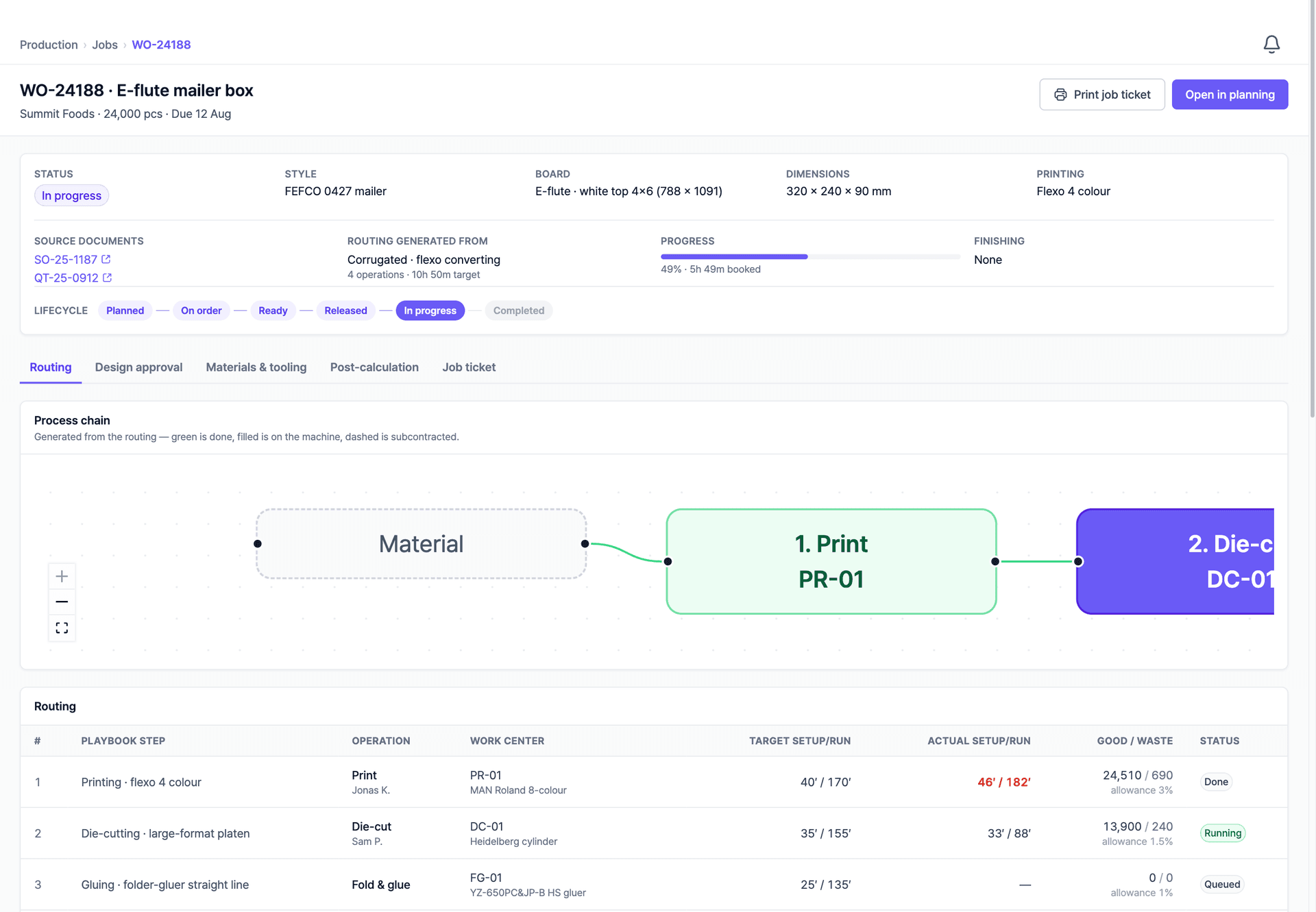
Work Orders That Carry the Whole Routing
Each work order tracks its operations, quantities, and progress from release to completion, connected to the order, the customer, and the invoice it ends in.
Optional, Always
Keep the MIS You Have, or Let This Be It
Production is the one module you may already own. Nothing on this page is a condition of using Packative One for quoting, customers, and orders.
Switch It Off Entirely
Run quoting, CRM, and orders exactly as you do now. The production module stays dark, and nothing about your quotes changes.
Connect to Your Own MIS
Confirmed orders and their specifications go out through the open API; job status, booked quantities, and actual times come back onto the same record.
We Build the Connector
If your system has no usable interface, we write the integration provider for it, reading your data in the shape it is already in, mapped to how your plant runs.
Common Questions
Production Questions
Keep yours. The production module is optional. Every other part of Packative One works whether or not it is switched on. If your shop floor already runs on an MIS you trust, we leave it alone and connect to it instead.
Did Not Find Your Answer?
Tell us how you run production today and we will answer against how your own factory operates.
Help Shape the Production Module
This module is upcoming. If production tracking is the part you are missing, tell us how your factory runs. Early conversations shape what ships.