Dielines, sheet layouts and 3D, ready in minutes
Pick a dieline from hundreds of ready-made templates, set your sizes and material, lay it out on sheets and fold it in 3D, all in the browser.
Free while in beta. No credit card needed.
By continuing, you agree to the Terms of use and the Privacy policy, including usage analytics and session recordings.
Features
Everything from the first dieline to the cutting file
Dieline library
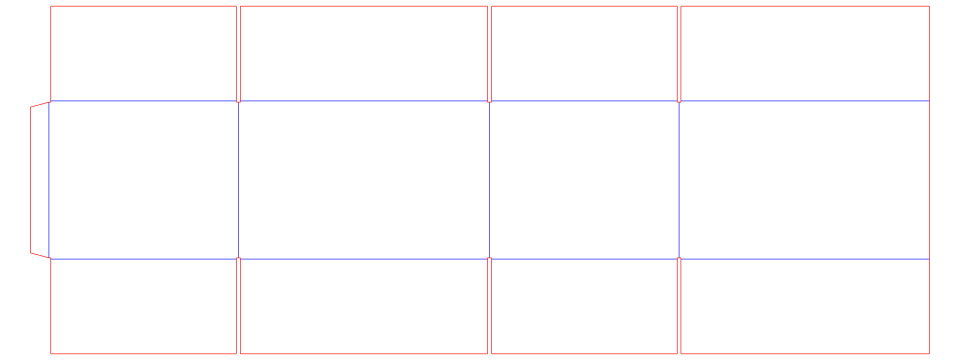
Hundreds of ready-made dielines. Change the sizes and every panel follows.
Sheet and kit layout
See how many fit on each sheet, with grain, gaps and rotation, or lay out several parts as a kit.
3D folding
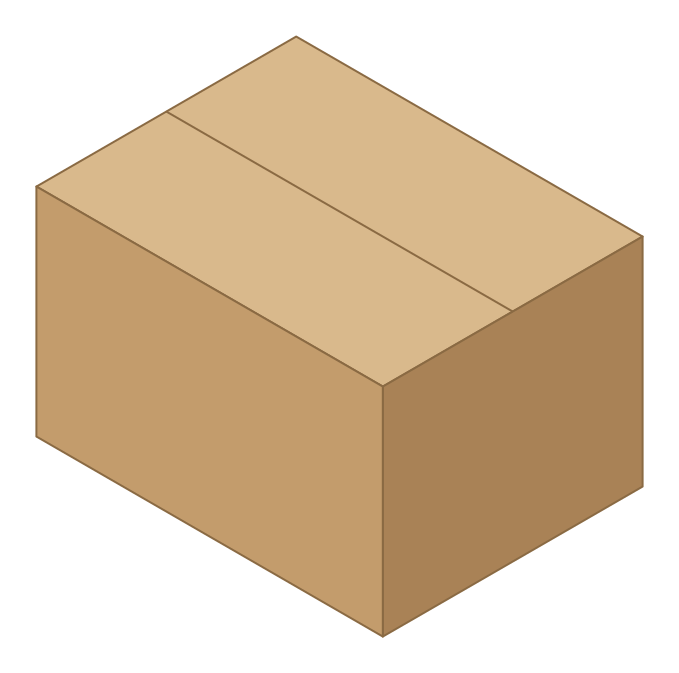
Fold the box in 3D with your paper or board, and adjust the folding when needed.
Ready-to-use files
Download DXF, PDF, AI, EPS, SVG or PNG for quotes, cutting dies and print.
How it works
Three steps to your box
Choose a dieline
Search the library by name or code, or import your own DXF.
Set sizes and material
Type length, width and height, pick a flute or paper; the drawing updates as you type.
Lay out, fold, download
Compare sheets, check the box in 3D, and download the file you need.
Sheet layout
More boxes on every sheet
Packative CAD tries every pattern and rotation on each of your sheet sizes and shows the best first, with the yield and the copies per sheet.
3D folding
See the box folded before the die is made
Fold the box in 3D with your paper or board, and adjust the folding when needed.
Free beta
Free while in beta
Yes. Packative CAD is free while it is in beta. Sign in with Google to start; no credit card needed.
Free credits every month
The free beta gives you free credits every month. Browsing is always free.
More credits for a friend
Invite someone new to Packative CAD: once they sign in, you get 100 more credits every month.
Fair use
The free beta is for people: automated access and copying the library are not allowed.
In Packative One
The drawing you quote is the drawing you cut
The dieline goes straight into nesting, which lays it on your parent sheets and ranks every layout by cost. The quote is priced from that layout, and the DXF your die maker receives is the same drawing. Nothing is retraced in between.
In every Packative One plan
650+templates
Packative CAD
Every planBuilt into Packative One. Each template follows your sizes, so any size is a few keystrokes away.
DXFimport
Your DXF
Every planBring the dielines you already have. Imported files are read into cut and crease lines and nest the same way as any template.
Enterprise option
2,000+templates
EngView
Enterprise optionAdd the EngView Standards Library (2,000+ templates) to Packative One on the Enterprise plan, with a 3D preview of the folded box.
EngView is available as an option on Packative One Enterprise. Packative CAD itself is free in beta.
FAQ
Questions
Yes. Packative CAD is free while it is in beta. Sign in with Google to start; no credit card needed.
Want it inside Packative One?
Bring a structure you quote often and we will generate it, fold it in 3D, and nest it on your sheets in the demo.
Draw your first dieline today
Sign in with Google and start in seconds. Your dielines, layouts and 3D, ready when you are.